How to remove background in Photoshop: which video to watch
Photo Editing › Photoshop Selections & Masking
How to remove background in Photoshop: which video to watch
● verified 5 Nov 2026
By the editorial team · human-reviewed before publishing
Removing a background in Photoshop takes two minutes with the right button — or two hours if you pick the wrong tutorial. Most videos show the Remove Background button working cleanly on a well-lit studio shot, then stop before the edge problems start. The real skill is what you do when the automated selection clips the hair, leaves a white halo, or introduces a colour cast along the cut.
Short verdict
For anyone learning this properly, the 2023 Photoshop Training Channel tutorial by Jesus Ramirez is the one to start with. It teaches a three-step masking formula used on professional poster work, then walks through five common problems — incomplete masking, depth-of-field blur, white outlines, colour spills — with specific fixes. If you already know the workflow and just need the button location, the Adobe in a Minute clip gets you there in 90 seconds. The 2018 PiXimperfect tutorial by Unmesh Dinda is the only video in this set that teaches the Background Eraser as a deliberate manual instrument rather than a shortcut.
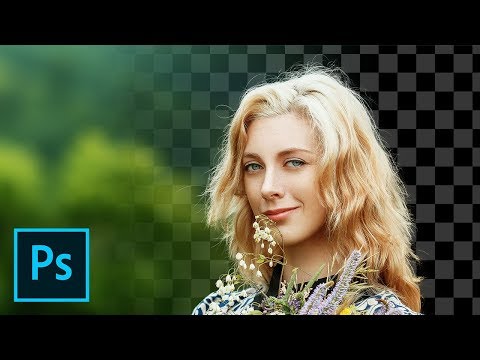
How To Remove a Background In Photoshop [For Beginners]
Photoshop Training Channel · 15:34 · Dec 2023
Jesus Ramirez teaches background removal as a three-step formula — select the subject, refine hard edges, refine hair separately — then spends the second half of the 15-minute video on five common problems beginners actually hit: incomplete or over masking, areas that are easier to paint than mask, depth-of-field blur, white outlines, and colour spills 9:34–15:18. He frames this as the workflow he uses on commercial movie and TV poster work 0:14, and the tutorial was produced in December 2023 using current cloud-processing tools including the cloud-based Select Subject option.
Why it ranks here: Most beginner tutorials end exactly where the problems start. This one keeps going. The white-outlines fix at 13:28 applies the Minimum filter locally using a lasso selection rather than globally, and the colour-spill fix at 14:28 uses a clipping-mask layer sampled from the original background — neither technique appears in any other ranked video. The chapter structure (ten named chapters) means you can skip to whichever common problem matches your current image without sitting through the full 15 minutes.
~15 min · beginner · internet connection required for cloud Select Subject
2
Strongest beginner foundation
How To Remove a Background In Photoshop [For Beginners!]
Photoshop Training Channel · 14:42 · Jan 2021
The 2021 Photoshop Training Channel tutorial takes the Select and Mask workspace more slowly than any other ranked video. Jesus Ramirez opens the workspace at 1:06, explains the transparency preview, then works through Quick Selection and Select Subject before demonstrating Object Selection for images with multiple subjects 3:46. He spends four minutes on the Global Refinement sliders with zoomed demonstrations of what each one does to the mask edge 5:51–7:48, then handles hair as a separate pass using the Refine Edge brush 8:58.
Why it ranks here: Where the 2023 version prioritises fixing problems, this one prioritises understanding the workspace. A commenter who described themselves as a 12-year Photoshop user still found new material, and one beginner wrote they had tried a book and a paid course before this video made it click. The tip to separate body and hair refinement into two passes 9:29 is given more screen time here than anywhere else in this set, and adding a solid-colour layer at 10:29 to audit mask quality before committing is a clean practical technique.
~14 min · beginner · no prior Photoshop experience needed
3
Quickest answer
Photoshop 2021 : How to Remove Background (Fast Tutorial)
Adobe in a Minute · 1:37 · Dec 2020
Adobe in a Minute shows the Remove Background button in the Properties panel under Quick Actions 0:33, then demonstrates one fix: using the Quick Selection tool inside Select and Mask to remove an area the automated tool missed — a white light near the subject's hat 1:00–1:15. No introduction, no recap. The video is 90 seconds.
Why it ranks here: This is for someone who has removed a background before and just needs a reminder. Commenters confirm the format: one says it covered what other videos stretched to 30 minutes; another that they had been selecting and deleting in chunks for years before finding the button. It does not teach edge refinement or hair masking — for a straightforward image with a clear subject, it does not need to.
~1.5 min · any level · Photoshop 2021 or later required for Remove Background button
4
Best for manual control
The EASY Background Remover Hidden in Photoshop!
PiXimperfect · 18:26 · Sep 2018
Unmesh Dinda from PiXimperfect spends 18 minutes on the Background Eraser — a brush-based tool that samples colour as you paint and erases matching pixels beneath the cursor. He explains all three sampling modes (Continuous, Once, Background Swatch) 2:44–3:07, the Limits setting and the difference between Contiguous and Discontiguous 4:50–5:53, and Tolerance with a side-by-side demonstration from 0 to 255 6:53–9:11. Throughout, he works non-destructively above a solid-colour adjustment layer 0:58 so the original pixel data stays intact.
Why it ranks here: The Background Eraser gives direct manual control that automated tools do not. The tolerance walkthrough 6:53 explains exactly which colours survive or disappear and why — so when an edge goes wrong you know what to adjust rather than which slider to guess at. A commenter who described themselves as an Adobe ACE trainer for 15 years called it one of the best instructional approaches they had seen. Dinda himself names the tool's limit 2:25: it struggles with fine hair, which is why this pairs naturally with the Select and Mask approach in either Photoshop Training Channel video.
~18 min · intermediate · works in any modern Photoshop version
Worth knowing before you start
When subject and background share similar colours Every ranked video works with images where the subject is clearly distinct from its background. None addresses the harder case where a person's clothing or skin closely matches the background tone — the scenario where Select Subject and Remove Background both fail, and Refine Edge brush alone cannot recover the selection.
Saving the result with transparency intact Only the 2023 Photoshop Training Channel video mentions exporting with transparency at all 15:23, and even there it is brief. None of the others explains that saving as JPEG discards the transparent layer, or how to confirm the result looks correct after export.
![How To Remove a Background In Photoshop [For Beginners]](https://i.ytimg.com/vi/K25F9RPrP9Q/hqdefault.jpg)
![How To Remove a Background In Photoshop [For Beginners!]](https://i.ytimg.com/vi/BQQqnn2uZv4/hqdefault.jpg)