Poster design tutorials split almost immediately into two camps: tool walkthroughs that show you which button to press, and design-thinking guides that explain why the choices matter. Most videos are the former. The distinction between an academic conference poster and an event or display poster matters just as much — the wrong video will teach you the right technique for the wrong situation.
Short verdict
For most people starting from scratch, the Canva official 'how to make posters for any occasion' video is the right first watch: it grounds every step in design reasoning before touching the software. If you are building an academic or conference poster in PowerPoint, go straight to Karina Adcock, whose eight-step method has produced multiple award-winning posters according to her commenters. For Photoshop work with an artistic lean, Wave Index covers a transferable high-contrast technique in seven minutes.
The ranking
1
Best overall
How to make posters for any occasion
Canva · 10:13 · Dec 2022
A 10-minute Canva walkthrough covering event posters and decorative display designs, presented by a professional instructor from a scripted, non-auto transcript. The tutorial demonstrates two complete designs — a market-stall display poster and a promotional event poster — first adapted from a template, then built from a blank canvas, with hierarchy, font pairing, colour, and audience targeting woven in throughout.
Why it ranks here: This is the only video here that leads with design reasoning before opening any software. The hierarchy explanation at 7:40–8:05 — showing that Western readers scan top-left to bottom-right, finishing at the call to action — gives you a mental model that holds regardless of which tool you use. The three-fonts-or-fewer rule 4:37–4:48, with each font assigned a specific job, is clearly stated and immediately actionable. Because the transcript is scripted rather than auto-generated, every principle is precise enough to act on.
~10 min · beginner · Canva (free account sufficient)
2
Best for academic and conference posters
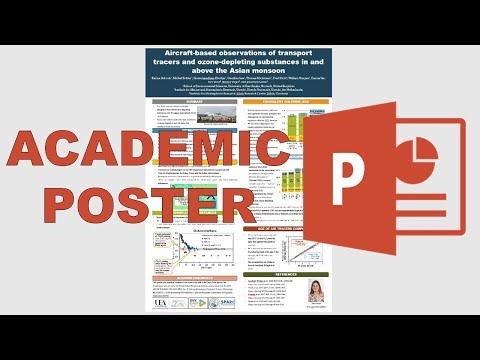
How to make an academic poster in powerpoint
Karina Adcock · 13:22 · Nov 2018
A 13-minute, eight-step PowerPoint walkthrough built specifically for academic conference submissions: checking the conference website for required dimensions 0:12–0:21, structuring content with bullet points and subsections, placing logos (vector preferred over raster 3:09–3:24), adding an author photo, co-author list, acknowledgements, and references, then choosing fonts 7:16–8:12 and colours 9:19–10:20, aligning everything with gridlines and guides 11:26–12:10, and exporting as PDF.
Why it ranks here: The detail is exceptional for this specific task. Karina explains the reasoning behind each decision — why vector logos scale without degrading, why non-serif fonts read more clearly at poster sizes — rather than simply demonstrating clicks. Several commenters report winning best poster awards after following this method. The creator herself posted a correction on the PDF export step in the comments, which is the kind of ongoing maintenance that makes a tutorial trustworthy long after it was recorded.
~13 min · beginner · Microsoft PowerPoint required
3
Best for design principles in brief
8. Designing your Poster in Canva | Skills
Canva · 6:33 · Oct 2021
A 6.5-minute Canva skills tutorial scripted around design theory rather than software features. It explains font categories and their associations (sans-serif for modern, serif for classic, script for elegant 1:16–1:29), visual hierarchy and focal sequencing 1:33–1:47, how colour creates mood and should match a brand palette 2:52–3:02, and how to use frames and grids to handle multiple images without cluttering the layout 4:57–5:26.
Why it ranks here: One piece of advice here is absent from every other video in this set: sketch a rough thumbnail on paper before opening any software 3:36–3:47. It takes under a minute and prevents an hour of rearranging elements on screen. The scripted transcript means the principles are stated precisely enough to act on. Watch this alongside whichever tool-specific video you choose.
~6.5 min · beginner · Canva (any account)
4
Best Canva walkthrough from a blank canvas
How To Make A Poster In Canva 2026 (Step-By-Step)
Tutorials by Manizha & Ryan · 9:50 · Mar 2023
A 9-minute tutorial building a hiring poster entirely from scratch in Canva: choosing a background colour 2:55–3:06, adding and colouring shapes as structural elements 3:11–4:06, setting bold headline text with adjusted line spacing and font weight 4:18–5:22, adding subheading and body copy, and downloading as PNG for digital use or PDF for print 9:21–9:29.
Why it ranks here: Where most Canva tutorials begin with a template and swap in new words, this one builds from a blank canvas, making the layering logic visible. The text section 4:18–5:22 is particularly clear on the visual distinction between headings, subheadings, and body copy, showing line-spacing and font-weight adjustments in sequence. Beginners who found template-based tutorials confusing tend to do better here, and the comment thread bears that out.
~9 min · beginner · Canva (free account works)
5
Best for artistic / brutalism style in Photoshop
How I Made This INSANE Brutalism Poster! (Photoshop Tutorial)
Wave Index · 7:17 · Jul 2024
A 7-minute Photoshop tutorial constructing a brutalism-style music poster in five named steps: subject image selection, applying a threshold adjustment layer for harsh high-contrast graphics 2:10–2:33, bold extended typography using the Highrise font 3:35–3:48, fine detail work including track lists and decorative icons 4:09–4:35, and overlapping layered images to unify the composition 4:46–5:19.
Why it ranks here: The threshold-plus-noise tip 2:21–2:36 — add noise to an image before applying the threshold adjustment and you retain far more detail in the result — is specific, transferable, and immediately useful for any high-contrast graphic design work. A top commenter, already experienced with brutalism posters, describes the tutorial as still valuable. The displacement-map step near the end is acknowledged briefly without full explanation; several commenters request a dedicated follow-up, so expect to look that step up separately.
~7 min · intermediate · Adobe Photoshop required
6
Best introduction to Adobe Illustrator for poster design
how to use adobe illustrator | a beginner-friendly graphic design tutorial / design posters with me
edgykatrina · 27:49 · Oct 2023
A 27-minute Illustrator tutorial by edgykatrina, using two decorative posters as live projects rather than isolated exercises. It covers the toolbar [~1:34], text creation and resizing 1:53–2:22, background rectangles and layer locking 3:00–3:29, the Shape Builder tool 7:38–8:13, colour-picking [~3:33], the Pathfinder panel 16:07, gradient fills 22:30–24:37, and circular text paths via Type on a Path 19:23–19:34.
Why it ranks here: Learning Illustrator through building a real piece — rather than practising tools in isolation — is why several commenters say this taught them more than a university class managed. The format shows how professional Illustrator work actually flows: iterating, grouping, locking, revisiting earlier decisions. A commenter's chapter index confirms that colour mode (RGB vs CMYK) is discussed during file setup [~0:43], which matters if your poster is going to a commercial printer. At 27 minutes the length is honest; Illustrator demands more first contact than Canva.
~27 min · beginner-to-intermediate · Adobe Illustrator required