Background noise removal sounds simple until you apply too much and your voice starts sounding underwater. Most short tutorials show you where the button is; very few explain how far to push it, or warn you that an AI automatic tool and a manual noise-profile workflow produce quite different results. The right approach depends on what software you already have open and whether you are cleaning a finished recording or trying to stop noise reaching the recording in the first place.
Short verdict
For most people with a pre-recorded audio or video file, the Buzzsprout Audacity tutorial is the fastest route to a working result — free software, clear steps, under 60 seconds. If you are already in Adobe Audition, Mike Russell's three-method walkthrough is the one to bookmark. For a no-install path, Justin Brown – Primal Video tests Adobe Podcast and Descript against the same source clips so you can hear the difference before choosing one. DaVinci Resolve users have a dedicated ranked pick and an unranked follow-up. Mobile editors on Android have one solid option.
The ranking
1
Best overall (Audacity)
How to remove background noise with Audacity
Buzzsprout — Learn How to Podcast · 1:00 · Apr 2022
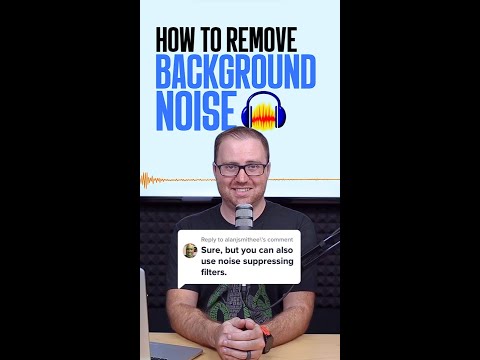
A 60-second Buzzsprout walkthrough using a real podcast-style recording with audible air conditioning. Shows the full noise-profile workflow: select a region of silence, click Get Noise Profile, select the whole track, run Noise Reduction, and preview before committing.
Why it ranks here: The clearest demonstration of the noise-profile technique across all the videos here. At 0:18 the presenter explicitly shows selecting a section where 'absolutely no one talking' — that is the step that trips up first-timers more than anything else in the process. Audacity is free and runs on Windows, Mac, and Linux, so this is the lowest-friction starting point for most people regardless of their setup.
~1 min · beginner · Audacity (free, desktop)
2
Best for Adobe Audition
How to Remove Background Noise in Adobe Audition 2025
Mike Russell · 3:23 · May 2022
Mike Russell covers three distinct Audition methods in under three-and-a-half minutes using a single noisy sample clip: the noise-profile Noise Reduction effect, the automatic DeNoise effect, and a Dynamics Auto Gate. Each method is shown with a before/after waveform comparison so you can see the difference as well as hear it.
Why it ranks here: The only video in this set that runs multiple Audition approaches against the same source material. At 1:42 Russell states DeNoise is 'not as effective' as the full Noise Reduction workflow. At 2:25 he warns the auto gate can clip word endings, then immediately shows the fix: increase the hold setting at 2:28. That combination of honest comparison and practical correction is rare in a three-minute tutorial.
~3 min · intermediate · Adobe Audition (paid, desktop)
3
Best free AI — no install needed
How To Remove Background Noise In Videos (Awesome AI Tools!)
Justin Brown - Primal Video · 7:51 · Jul 2023
Justin Brown tests Adobe Podcast's Enhance Speech and Descript's Studio Sound on two identical noisy recordings — one with heavy ambient noise, one recorded outdoors with traffic — then plays back all four results for a direct comparison. The full upload-and-download workflow is shown for each tool.
Why it ranks here: The only video here that puts two free web tools against the same source clips. At around 6:31–6:38 Brown notes the Descript waveform shows less residual noise than the Adobe Podcast result on the outdoor clip. Neither tool requires installing software, and the free tiers of both are enough for the task. A good first stop for anyone who does not want to learn a DAW.
~8 min · beginner · Adobe Podcast + Descript (free web tools, no install)
4
Best for FL Studio / most detailed
How to Remove Noise from Vocals and Recordings (Hiss, Hum, Background Noise)
In The Mix · 8:06 · Sep 2018
An eight-minute In The Mix tutorial demonstrating FL Studio's Edison denoiser on two recordings: a guitar signal with hiss and hum, and a vocal take with added static. Covers selecting the noise profile, adjusting the denoising amount at different settings, and comparing the treated audio against the original.
Why it ranks here: The most thorough treatment of the noise-profile method in this set. The presenter shows at 2:38–2:44 that pushing the denoising too far makes the result sound 'unnatural' — a trade-off most short tutorials skip entirely. A commenter adds the technique of enabling 'Output noise only' during preview so you can hear exactly what the plugin is discarding before you commit. Specific to Edison, but the underlying principles carry across DAWs.
~8 min · intermediate · FL Studio Edison (paid, desktop)
5
Best for DaVinci Resolve
How To Remove Audio Background Noise In Davinci Resolve 19
Molin Guides · 0:55 · Jun 2023
A 55-second Molin Guides tutorial showing how to add noise reduction in the free version of DaVinci Resolve 19. Navigates to the Fairlight tab, opens the audio channel mixer, adds Restoration > Noise Reduction, enables Auto Speech Mode, and plays a before/after voiceover comparison.
Why it ranks here: All the steps for DaVinci Resolve's built-in noise reduction in under a minute, with a clear before/after audio demonstration. The Auto Speech Mode toggle at 0:23 removes the need to manually select a noise-only section. It works on the free version of Resolve, which matters for editors who have not upgraded to Studio.
~1 min · beginner · DaVinci Resolve free (desktop)
6
Best for mobile (Android)
Remove Background Noise From YouTube Videos (Smartphone) | Crystal Clear Voice आएगी ⚡️
Aksh Verma · 5:10 · Jul 2023
Aksh Verma demonstrates background noise removal on Android using the free Lexis Audio Editor app, starting with a phone recording that has music and a fan audible in the background. Covers extracting audio from a video file, importing it into the app, selecting a noise-only region, and adjusting the threshold and rate controls in the noise reduction effect.
Why it ranks here: The only video here dedicated entirely to mobile noise removal without any desktop software. At 2:06 the presenter stresses recording five to ten seconds of silence before speaking, giving the noise profiler a clean sample — a useful habit whatever tool you use. He is candid that Audacity or Adobe Audition on a laptop will give better results; this is a genuine 'best available on a phone' guide. Delivered in Hindi.
~5 min · beginner · Lexis Audio Editor (free, Android)
7
Best for real-time removal (streaming / live recording)
Remove ALL Background Noise with One Click! #Shorts
PiXimperfect · 0:54 · Nov 2022
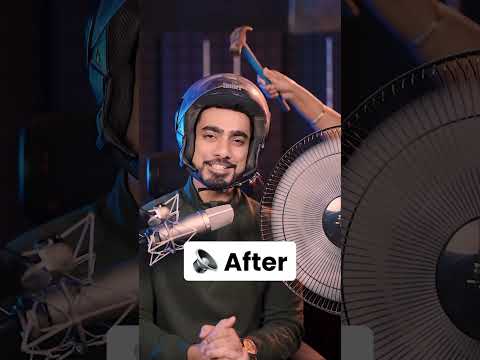
A 54-second PiXimperfect Short demonstrating NVIDIA Broadcast's microphone noise removal in real time, with a fan running close to the microphone. Also covers the room echo removal feature and explains how to set NVIDIA Broadcast as the audio input device inside any streaming or recording application.
Why it ranks here: The only video in this set covering noise removal at the point of capture rather than in post-production — a different task entirely from cleaning a finished file. The before/after at 0:02–0:13 is striking. The hardware requirement is non-negotiable: an RTX GPU is needed to run Broadcast. The presenter names the GTX fallback (RTX Voice) at 0:50.
~1 min · beginner · NVIDIA Broadcast (free software, RTX GPU required)
8
Best for CapCut
How To FIX AUDIO and REMOVE Background Noise In CapCut!
Collin Michael · 1:45 · Oct 2022
Collin Michael's 105-second tutorial shows CapCut's Reduce Noise toggle in the mobile app, using a recording with audible fan noise. Step one briefly covers microphone positioning (pointing away from the noise source); step two navigates to the clip options, scrolls to Reduce Noise, and enables it. A split-clip comparison demonstrates the result.
Why it ranks here: The quickest path for CapCut users — a single toggle at 1:02 with a direct before/after comparison. Ranked last because a commenter reports this feature has since moved behind a paywall, which limits how far the video's steps will carry a free-account user.
~2 min · beginner · CapCut (mobile app)