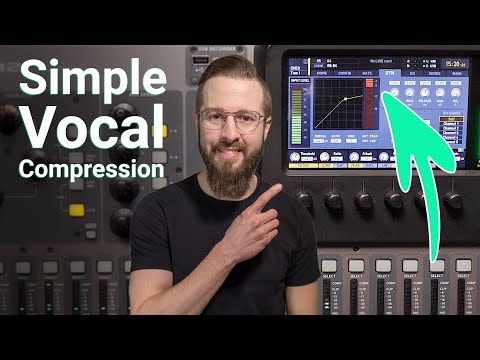
Most tutorials on vocal compression explain the parameters — threshold, ratio, attack, release — but stop short of saying what to actually dial in or how to hear whether it is working. The harder problems are knowing when you have gone too far and understanding what attack time does to the tone of a voice, not just its level. The videos below split between those that give you numbers quickly and those that teach you to listen.
Short verdict
Start with In The Mix if you are working in a DAW and want to understand why each setting does what it does before touching anything. If you need numbers immediately, the five-minute Collaborate Worship settings guide gives ratio, attack, release, and threshold targets in plain language — it is the fastest route to a working compressor on a vocal. Watch the 57-second In The Mix short afterwards: it shows in a single waveform view why stacking two compressors usually outperforms one.
The ranking
1
Best overall
The RIGHT way to use Compression - Detailed Mixing Tutorial
In The Mix · 25:02 · Oct 2019
In The Mix presents a 25-minute vocal compression tutorial built entirely within a mix context — never in solo — using the Ozone 9 dynamics compressor on a vocal sitting against a dense arrangement with guitars and drums. The presenter walks through threshold, ratio, attack, release, makeup gain, and parallel compression 20:07, then demonstrates the effect by toggling compression on and off 8:09–8:49 so the difference is audible rather than theoretical.
Why it ranks here: It earns the top rank because it insists you listen in context. At 17:17 the presenter closes his eyes during adjustment, and the point stands: monitoring a vocal in solo tells you almost nothing about whether the compression is helping. The ratio walkthrough at 13:37–14:11 is specific — 2:1 is gentle, 5:1 starts to sound harsh — and the attack demonstration at 15:13–16:05 shows directly how a very short attack muffles consonants while a longer one lets transients through. A commenter who described themselves as a full-time touring musician wrote that no studio engineer they had worked with explained compression as clearly. A separate comment singles out the eye-closing listening section as the genuine insight in the video.
~25 min · intermediate · DAW required
2
Best settings reference
How to Set a Compressor for Vocals
Collaborate Worship · 5:27 · Oct 2018
Collaborate Worship's five-minute guide moves through each compressor parameter in order — threshold, ratio, attack, release, and output gain — with a concrete number for each. It lands on ratio 3:1 3:08, attack 5–20ms 3:34, release no longer than 500ms 4:02, threshold set so gain reduction stays under 6dB, and makeup gain matched to the average gain reduction 4:30–4:44.
Why it ranks here: This is the video to bookmark when you want to know what to dial in without wading through theory first. Every claim is specific: the 3:1 ratio recommendation comes with an explanation of what happens below it (not enough compression) and above it (vocal sounds smashed) 3:08–3:18. The auto attack/release tip at 4:07 is limited honestly to vocals only, with a clear reason given for why you would not use it on other instruments. The transcript is human-written rather than auto-generated, and one commenter described it as 'hands down the clearest explanation of compression I have seen on the internet.'
~5 min · beginner–intermediate · any compressor or console
3
Best for a complete live workflow
Master Vocal EQ & Compression in 10 minutes
Collaborate Worship · 10:34 · Jun 2023
The 10-minute Collaborate Worship video puts compression inside a five-step vocal workflow: mic placement, gain, low-cut filter at 120–180Hz, parametric EQ sweep, then compression 5:38. The specific compression settings given are ratio 3, hold 0, makeup gain +6dB, with threshold adjusted per vocalist until the gain reduction meter reads around −6dB at their loudest 6:55.
Why it ranks here: The earlier steps matter for compression to function cleanly. The low-cut and EQ sweep remove low-end buildup and resonant peaks that would otherwise trigger the compressor on room noise rather than the vocal itself. The threshold-setting advice at 6:35–6:50 is grounded: adjust it while the band is playing, because a vocalist's level with the band around them is not the same as when they are isolated. Fix the signal before you compress it.
~10 min · beginner · live console
4
Best short tip
The Best Way To Compress Vocals #musicproduction #mixingtips #mixing
In The Mix · 0:57 · Feb 2024
In The Mix's 57-second short explains the two-compressor approach in a single pass: the first compressor targets only the loudest peaks using a high threshold, very high ratio, and fast release; the second works on overall level with a lower threshold, a gentle ratio, and attack and release timed to the word rhythm 0:22–0:44. A waveform at 0:44 shows peaks controlled while dynamic range remains intact.
Why it ranks here: The waveform makes the logic visible in a way prose alone cannot. One compressor forced to handle fast peaks and overall smoothing at the same time ends up over-compressing one job or the other; splitting the two jobs lets each compressor do less damage. A commenter wrote they had watched many videos and never understood why engineers use more than one compressor until this one. It pairs naturally with either Collaborate Worship video once you have the fundamentals.
~1 min · intermediate · any DAW
5
Best for live tonal nuance
Vocal Compression - How to Mix Live Vocals (feat. Jon Thurlow)
Attaway Audio · 8:58 · Feb 2019
The Attaway Audio video compresses live vocals with a real vocalist and focuses on what attack and release times do to the character of a voice: a slower attack lets the initial consonants of each word come through, making the vocal sound thicker, while a faster attack smooths transients at the cost of a thinner tone 3:50. It also covers the practical difference between peak and RMS detection modes 4:45.
Why it ranks here: No other ranked video addresses what compression does to timbre. The before-and-after passages with the live vocalist 2:12–2:38 are clear enough to hear the tonal shift between attack settings, and the RMS vs peak section 4:45–5:00 is practical for live engineers who want a gentler, more averaged response without changing the ratio. The presenter also notes at 7:37–7:58 that heavy compression in a monitor send can cause a vocalist to push harder and create feedback — a specific live-sound risk not raised elsewhere in this group.
~9 min · intermediate · live sound / digital console
Where the videos disagree
Should you set attack and release manually or use the auto setting?
Collaborate Worship recommends auto attack and release for vocals as a practical shortcut, noting explicitly that manual settings are for drums and other instruments. In The Mix and Attaway Audio demonstrate setting both parameters manually by ear, adjusting until the transients and tonal character sound right within the full mix.
Our read: Auto is a fair starting point when you are learning or working under time pressure. Once you can hear what attack time does to consonants — demonstrated clearly in the In The Mix main tutorial — manual adjustment gives you tonal control that auto cannot offer.
How much gain reduction is too much before the vocal sounds lifeless?
Collaborate Worship treats 6dB as a firm ceiling, stating that vocals begin to sound over-compressed beyond that point. Attaway Audio says 10–12dB is workable in a loud live environment when the noise floor permits, treating it as a situational call.
Our read: The 6dB ceiling is a sensible starting point. Attaway Audio's higher figure comes with a caveat: heavy compression shortens the headroom before feedback in a live room. Start at 6dB and push further only when you can monitor the result in the full mix.