Getting a vocal to sit in a mix is one of the most context-dependent tasks in music production. Most tutorials teach the plugin chain but skip the decisions that actually shape the result: when to ride the fader instead of compressing harder, how to manage stereo width without losing apparent loudness, and why the recording environment determines what is even possible before you open a session. The best videos here treat those choices as the main event, not an afterthought.
Short verdict
For most people mixing studio vocals, Produce Like A Pro is the clearest, most complete starting point: Warren Huart covers fader riding, vocal compilation, multi-stage compression, and a whisper-plus-distortion texture technique in a single 22-minute session. If you are working in FL Studio and want a more systematic, chapter-by-chapter walkthrough, In The Mix runs a close second and includes a rare side-by-side of professional, home, and iPhone recordings. For hip-hop specifically, the Waves Audio session with Lu Diaz is the only video here built around a real, named professional session with credited artists.
The ranking
1
Best overall
Mixing Vocals to Sit Properly in the Mix - Warren Huart: Produce Like A Pro
Produce Like A Pro · 21:42 · Aug 2015
Warren Huart works through a complete vocal mix on a real pop song, showing how to compile takes, ride the fader before reaching for compression, and build texture by layering distortion, an octave-down signal, and a whisper track underneath the lead. He explains principles that apply across DAWs, framing every technical decision around what it does for the listener emotionally.
Why it ranks here: The most instructive moment comes at 19:41, where all three layers — distortion, octave, whisper — are played against the lead vocal simultaneously; it is the clearest demonstration of vocal texture technique in this set. His emphasis on volume automation before reaching for plugins 4:28 separates this from tutorials that open straight onto a compressor. A commenter who describes themselves as having watched hundreds of hours of mixing tutorials writes that Huart is 'the first person to present production in such an organized and transparent way' that things 'finally click' — which reflects what the video actually delivers: explanation of why each step exists, not just what settings to use.
~22 min · intermediate · genre-agnostic · no specific DAW required
2
Best structured tutorial
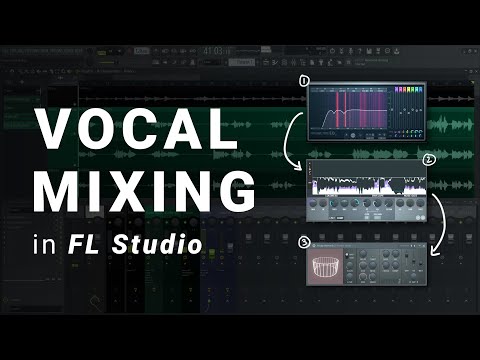
How To Mix Vocals in FL Studio
In The Mix · 19:22 · Oct 2020
In The Mix walks through a full vocal chain in FL Studio across two passes — a simple method and an advanced workflow — covering subtractive EQ, single and dual-stage compression, de-essing, reverb and delay routing via send channels, and parallel compression. The video closes with a direct comparison of the same vocal recorded on a professional U67, a home microphone, and an iPhone.
Why it ranks here: The two-track structure lets you stop at the simple pass with a workable chain, or continue into parallel processing and effects routing — a practical split that most tutorials do not make explicit. The source comparison at 17:32 is the most concrete demonstration in this set of what processing can and cannot fix: the iPhone recording holds up well once processed, but the top-end harshness differences between recordings are audible and specific. Chapters — 'EQ Subtractive', 'Compression', 'De-essing', 'FX', 'Advanced Processing' — make it easy to return to a single stage without rewatching the whole thing.
~19 min · beginner to intermediate · FL Studio · concepts transfer to any DAW
3
Best for hip-hop
4 Golden Rules to Mixing Hip Hop Vocals | Lu Diaz (Jay-Z, Beyoncé)
Waves Audio · 12:55 · Sep 2018
Engineer Lu Diaz (credits include Jay-Z and Beyoncé) walks through four stages on a real session: removing harsh and problem frequencies with a dynamic multiband EQ, adding shine with an API EQ, panning ad-libs wide across the stereo field, then building depth with delays and a pitch-correction autotune effect. Every step is demonstrated in context against the actual instrumental.
Why it ranks here: The stereo field section 7:21–7:25 is the most precise treatment of vocal panning here: Diaz makes the specific point that spreading to stereo reduces apparent loudness relative to centre, so you compensate by pulling levels back on the ad-libs — a genuinely actionable note that no other video in this set covers. The T-Pain pitch effect setup is shown in real time at 11:14, with key-matching and speed settings explained. This is the only video built around ad-lib management and vocal sweetener treatment as a distinct stage in the chain.
~13 min · intermediate · DAW-agnostic technique · hip-hop focus
4
Advanced: making vocals fit a busy mix
I Reveal How The Pro’s Mix Vocals
Streaky · 8:47 · Mar 2023
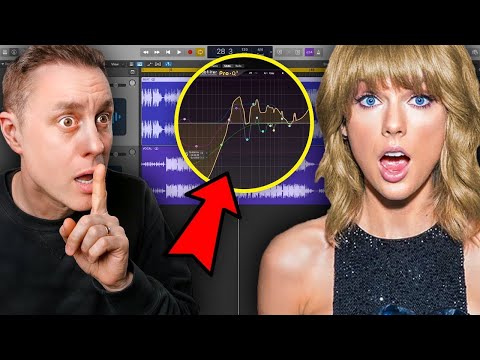
Streaky demonstrates a specific technique for blending a vocal into a compressed, already-finished instrumental. Using FabFilter Pro-Q3's EQ Match feature, he sets the vocal bus as a reference, runs a match against the instrumental, inverts the resulting curve, and reduces those frequency points by roughly 5dB to carve pockets in the backing track where the vocal can sit.
Why it ranks here: This is the only video in the set that addresses a vocal fighting a pre-mastered, busy mix — rather than treating the vocal in isolation. The before/after at 7:22–8:13 moves a vocal from 'disjointed' and sitting on top to something that feels part of the track. Comments describe hearing 'a massive difference' and a mix being 'transformed'. It is not a starting point; it works on top of a complete basic chain, so watch one of the above tutorials first.
~9 min · advanced · Logic Pro demonstrated · requires FabFilter Pro-Q3
5
Quickest complete overview
THE world's shortest vocal mixing course you’ll ever need
Andrew Barr · 2:29 · Feb 2025
Andrew Barr talks through five steps in under 90 seconds — recording environment, subtractive EQ (high-pass below 80Hz, cut harshness at 2–5kHz, cut mud at 200–500Hz), compression with ratio used as the stylistic control, reverb and delay routed to a bus, and fader automation. No DAW footage; entirely verbal.
Why it ranks here: The clearest entry point before committing to a longer tutorial. The Billie Eilish AT2020 example at 0:03 anchors the claim that mic choice matters less than environment and performance with a concrete case ($100 microphone on a well-known recording). The top comment flags that de-essing is absent from the five steps — worth knowing before treating this as a complete checklist.
~2.5 min · complete beginner · no DAW footage · good as a pre-watch orientation